

Choose Anki if you want a free, offline flashcard system you can customize down to the card template, with a huge library of shared decks and built-in image occlusion. Choose Active Recalling if your bottleneck is turning PDFs, slides, and lecture notes into practice, and you want flashcards, a multiple-choice quiz, and a mind map from one upload.
We make Active Recalling, so this Active Recalling vs Anki comparison sticks to facts you can check. Anki's details come from its official site, manual, and App Store listing; ours come from our own product. Everything was checked in October 2026. Where Anki is the better tool, we say so plainly.
Active Recalling vs Anki at a glance
| Anki | Active Recalling | |
|---|---|---|
| How cards get made | You write them, or import shared decks | AI drafts them from your file; you edit |
| Study formats | Flashcards: Basic, Cloze, Image Occlusion, custom note types | Flashcards, 4-option quizzes, mind map, Feynman practice |
| What you can add | Text, images, audio, video, scientific markup | PDF, Word, JPG/PNG screenshots, pasted text, webpage link |
| Review scheduling | FSRS or the older SM-2-based scheduler | FSRS |
| Platforms | Windows, Mac, Linux, Android, iPhone/iPad, AnkiWeb in a browser | Any modern browser, desktop or phone; no native app |
| Works offline | Yes | No |
| Shared content | Public shared-deck library | Share a folder or chapter by email; the recipient gets a copy |
| Imports | Anki packages, plain text and CSV | No Anki or Quizlet import |
| Extending it | Add-ons | No add-ons |
| Price | Free (desktop, Android, AnkiWeb); AnkiMobile $24.99 once | Free: 1 folder, 3 chapters. Pro: $3.99/month, no yearly plan |
The short version: Anki is a toolkit you build your own system with. Active Recalling is a finished workflow that starts from your course material. Neither one is the better app in general; they're built for different problems.
How Anki works
Anki is a free, open-source flashcard program. You create notes (a fact with fields, like "Term" and "Definition"), and each note generates one or more cards from templates. A vocabulary note can produce a front-to-back card and a back-to-front card from the same entry. You review cards each day, rate how well you remembered, and Anki schedules the next review.
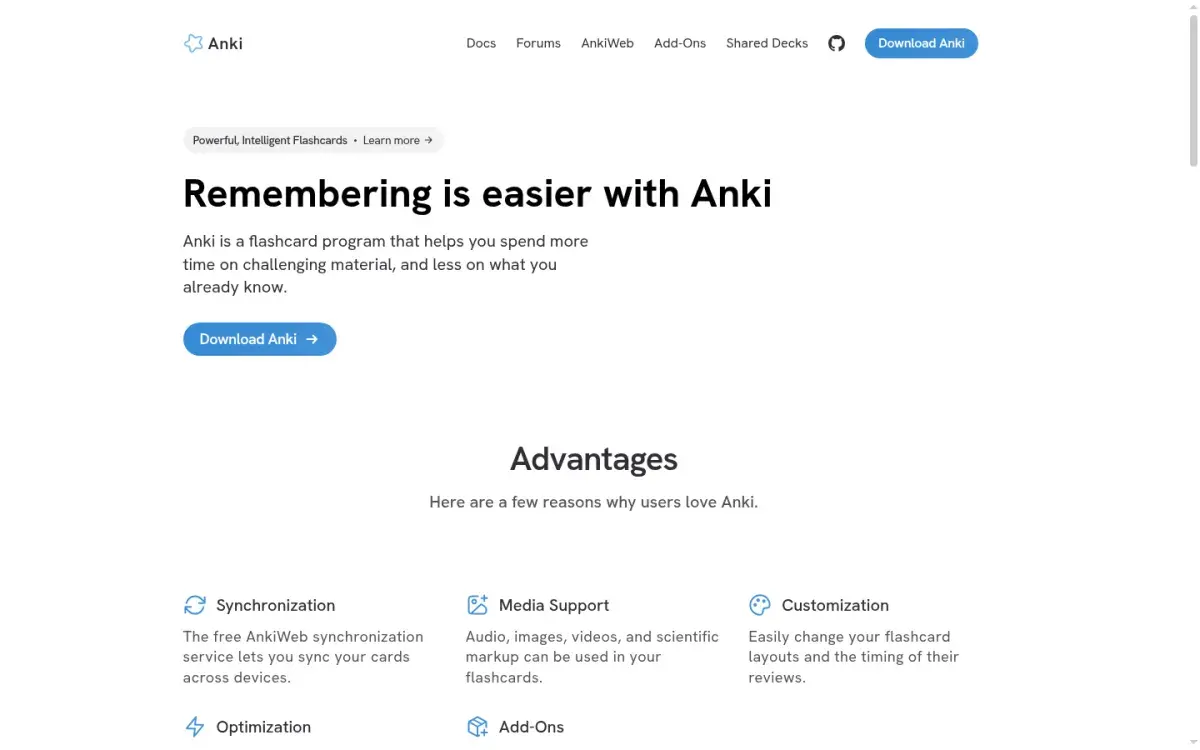
What makes Anki strong:
- Shared decks. Click "Get Shared" and you can download decks other people have built. The manual adds a fair warning: for complex subjects, shared decks should supplement your own material, not replace it.
- Image occlusion. Since version 23.10, you can hide labels on a diagram and recall them one at a time. For anatomy, histology, or maps, this is hard to beat.
- Media and markup. Cards can hold audio, images, video, and LaTeX, which matters for language pronunciation and science formulas.
- Scale and control. The official site says it handles decks of 100,000+ cards, and nearly everything (layouts, review timing, add-ons) can be changed.
- Free almost everywhere. Desktop, AnkiDroid on Android, and AnkiWeb are free. Only AnkiMobile for iPhone and iPad costs money: $24.99 once.
Where Anki gets hard
The same flexibility is the cost. New users meet note types, card templates, learning steps, and deck options before they review a single card. More importantly, Anki doesn't write cards for you. A semester of lecture slides can mean hundreds of cards typed by hand, and that's where many students stall.
How Active Recalling works
Active Recalling starts from what your course already gives you. You create a folder for a course, add a chapter, and attach a PDF, Word document, JPG or PNG screenshot, pasted notes, or a webpage link. From that source, the app generates:
- Flashcards you can edit, delete, or add to.
- Four-option multiple-choice questions that can check whether you can apply an idea, not just define it.
- A mind map showing how the chapter's topics connect.
- Feynman practice: you explain a topic aloud, it transcribes your explanation and compares it with your notes.
Reviews are scheduled with FSRS, and it runs in any browser, so the same account works on a laptop and a phone.
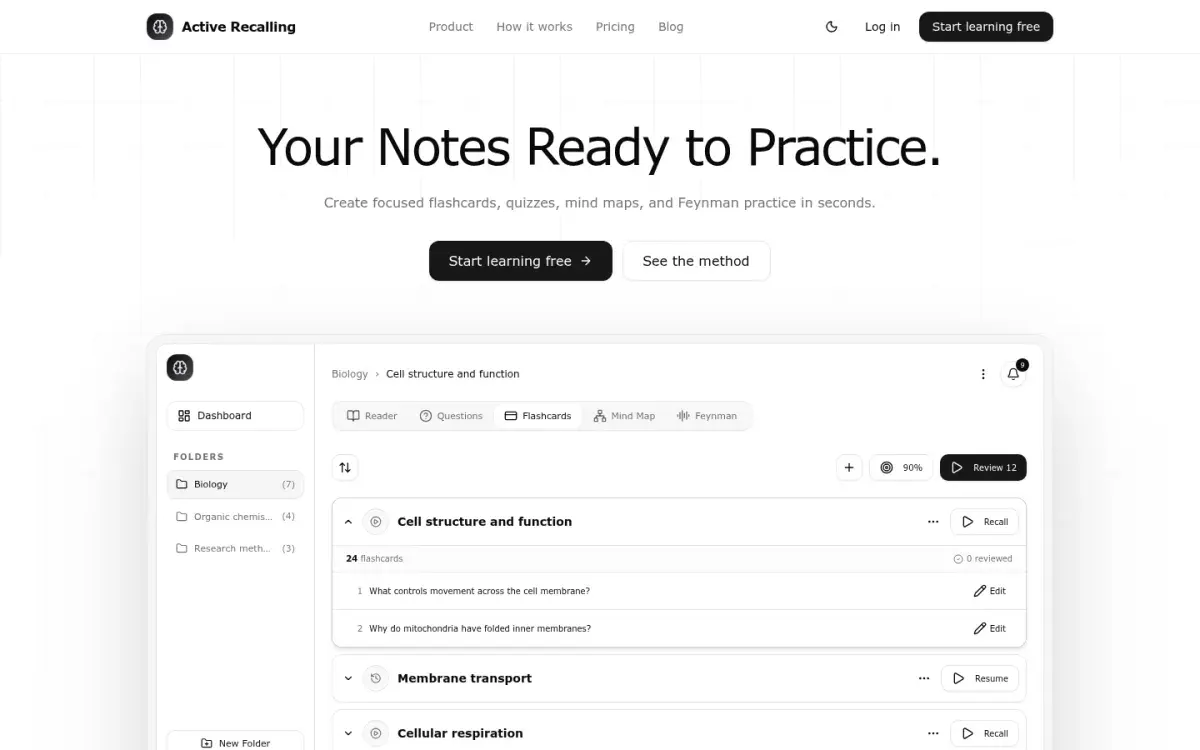
The limits are real, and you should know them before you sign up. There's no offline mode, no native iOS or Android app, no Anki or Quizlet import, no image-occlusion cards, and no public deck library. Sign-in is with a Google account only. And AI-generated cards need checking: you'll delete some that are too vague and fix the occasional wrong detail.
Who should choose Anki?
Pick Anki if any of these describe you:
- You're in medical school or another field with established community decks. The shared-deck ecosystem saves months of work, and image occlusion handles diagrams. Our guide to spaced repetition for medical school covers that workflow.
- You're learning a language and want audio on cards, reversed cards, and years of vocabulary in one collection.
- You study offline: on commutes, flights, or with unreliable Wi-Fi.
- You want zero cost. Desktop, Android, and AnkiWeb are free with no card limits.
- You like to tinker. Custom templates and add-ons let you build exactly the system you want.
- You already have a big Anki collection. Active Recalling can't import it, and starting over rarely makes sense.
Who should choose Active Recalling?
Pick Active Recalling if these sound more like you:
- Your material arrives as files. Lecture PDFs, slide decks saved as PDF, Word handouts, screenshots of a textbook page. You want to be reviewing the same evening, not after a weekend of typing.
- You need more than recall of facts. Multiple-choice questions can put an idea into a scenario, which is closer to many exams. A mind map shows the structure of a chapter at a glance.
- You don't want to configure anything. No note types, no deck options, no add-ons, no sync setup.
- You study across devices in a browser and are fine needing an internet connection.
If you're mainly looking for "Anki, but it makes the cards for me," our roundup of AI flashcard generators compares several tools that do this, and how to convert a PDF to flashcards explains how to check what any generator gives you.
The same chapter in both apps
Here's how one real study task plays out. You have a 25-page biology PDF on membrane transport and a quiz in ten days.
In Anki:
- Read the chapter and decide what's worth a card.
- Write cards in your own words. A cloze card might read:
{{c1::Facilitated diffusion}} moves solutes down their concentration gradient through channel or carrier proteins, without ATP. - Use image occlusion on the sodium-potassium pump diagram so you can recall each label.
- Review every day until the quiz; FSRS spaces the cards out.
In Active Recalling:
- Create a "Cell Biology" folder and add the PDF as a chapter.
- Generate flashcards and a quiz. You might get a card like "Why does the sodium-potassium pump need ATP?" and a question like: Which process moves glucose into red blood cells? A) Simple diffusion B) Facilitated diffusion C) Active transport D) Endocytosis.
- Skim the cards against the PDF. Delete anything vague, fix anything wrong, add a card for any key point that's missing.
- Open the mind map to see how diffusion, osmosis, and active transport relate, then review daily.
The trade-off is time versus authorship. Anki takes longer before your first review, but writing cards yourself is a form of learning in its own right, which psychologists call the generation effect. Active Recalling gets you practicing sooner and adds question types Anki doesn't have, but you have to stay disciplined about editing what the AI produces instead of trusting it blindly.
Spaced repetition: do they schedule reviews the same way?
Mostly, yes. FSRS (Free Spaced Repetition Scheduler) is an open-source algorithm that estimates how likely you are to remember each card and schedules the next review for when that chance drops to a target level. Anki has supported it since version 23.10 as an alternative to its older SM-2-based scheduler, and Active Recalling uses FSRS for its reviews.
The difference is how much you can tune. Anki exposes every setting, including desired retention (how likely you want to be to remember a card when it comes due), learning steps, and parameter optimization from your own review history. That's ideal if you enjoy tuning and a distraction if you don't. Our FSRS vs SM-2 explainer walks through what those settings do.
What matters more than the algorithm is whether you answer from memory before flipping, and whether you show up for reviews. Our spaced repetition guide covers the habits that make either app work.
How to decide in one week
Don't pick based on a feature list. Pick based on one real chapter you need to learn this week.
- Day 1: Choose a chapter with a deadline. Build it in Anki (write 20–30 cards by hand) and in Active Recalling (upload the file, then edit the generated cards). Note how long each took.
- Days 2–6: Do the due reviews in both. Answer before you flip, every time.
- Day 7: Close both apps and write down everything you remember about the chapter on a blank page. Then check it against your notes.
- Decide: Which one did you actually open every day? Which cards were clearer? If you skipped Anki because card-writing felt like a chore, that's your answer. If the generated cards needed so much editing that you'd rather write your own, that's an answer too.
You can also use both: generate a quiz in Active Recalling for practice testing, then type the handful of facts you keep missing into Anki for long-term review. There's no automatic transfer between them, so keep that list short.
For a wider view of the options, see our Anki alternatives comparison, or our Anki alternative page for a summary of how Active Recalling differs. If you'd rather keep linked notes and cards together, tools that pair linked notes with spaced repetition are another route, and if Quizlet is your other option, the same comparison against Quizlet covers price and limits, with a shorter summary on our Quizlet alternative page.
Frequently asked questions
Is Active Recalling better than Anki?
Neither is better for everyone. Anki is better if you want free, offline, highly customizable flashcards, shared decks, or image occlusion. Active Recalling is better if you study from PDFs and notes and want the app to draft flashcards, multiple-choice questions, and a mind map for you. Both can schedule reviews with the FSRS algorithm.
Can I import my Anki decks into Active Recalling?
No. Active Recalling doesn't import Anki packages or Quizlet sets. You add source material (a PDF, Word document, screenshot, pasted text, or webpage link) and it generates cards from that. If you have a large Anki collection, keep reviewing it in Anki and use Active Recalling only for new material.
Does Anki have AI flashcard generation?
Anki itself doesn't generate cards. You write them yourself or download shared decks, and some third-party add-ons connect Anki to AI services. If AI drafting is the main thing you want, a tool built around it will be simpler, but check every generated card against your source before you rely on it.
Is there a web app like Anki?
Yes. AnkiWeb lets you study your Anki collection in a browser for free and syncs with the desktop and mobile apps, though you can't add shared decks to it directly. Active Recalling is a web app too, built around generating cards and quizzes from your files rather than writing cards by hand.
Is Anki free on iPhone?
The official iPhone and iPad app, AnkiMobile, costs $24.99 as a one-time purchase in the US App Store. Anki is free on Windows, Mac, Linux, and Android (AnkiDroid), and AnkiWeb lets you review in any browser, including Safari on an iPhone, at no cost.
Do Active Recalling and Anki use the same algorithm?
Both can use FSRS. Anki also offers its older SM-2-based scheduler and lets you adjust settings like desired retention and learning steps. Active Recalling schedules reviews with FSRS without requiring any setup. In practice, answering honestly and keeping up with reviews matters more than the difference between the two.
Sources and further reading
Start with the primary research and official guidance below. Links open in a new tab so you can compare the evidence with the article.
- Read source
Anki: powerful, intelligent flashcards
Anki official site, 2026
- Read source
Deck Options: FSRS
Anki Manual
- Read source
Getting Started: Shared Decks
Anki Manual
- Read source
Editing: Image Occlusion
Anki Manual
- Read source
Syncing with AnkiWeb
Anki Manual
- Read source
AnkiMobile Flashcards
Apple App Store, 2026
- Read source
Active Recalling
Active Recalling official site, 2026