The modern student juggles more competing demands than ever before. Between lectures, assignments, exam preparation, extracurricular activities, part-time work, and the constant pull of digital distractions, staying organized feels like a full-time job in itself. Generic advice like "be more organized" or "use a to-do list" is not enough. What students need is a productivity system — a structured methodology for capturing, organizing, and acting on everything that demands their attention.
Several well-established productivity systems have passionate followings, each with its own philosophy, strengths, and tradeoffs. In this guide we examine four of the most popular: Getting Things Done (GTD), Zettelkasten, Bullet Journal, and PARA. We break down how each works, evaluate its suitability for student life, and help you find the approach that fits your needs.
Getting Things Done (GTD)
Getting Things Done, created by David Allen, is arguably the most well-known personal productivity system in the world. Its core premise is simple: your mind is for having ideas, not holding them. By capturing every commitment, task, and thought in a trusted external system, you free your cognitive resources for creative thinking and focused work.
How GTD Works
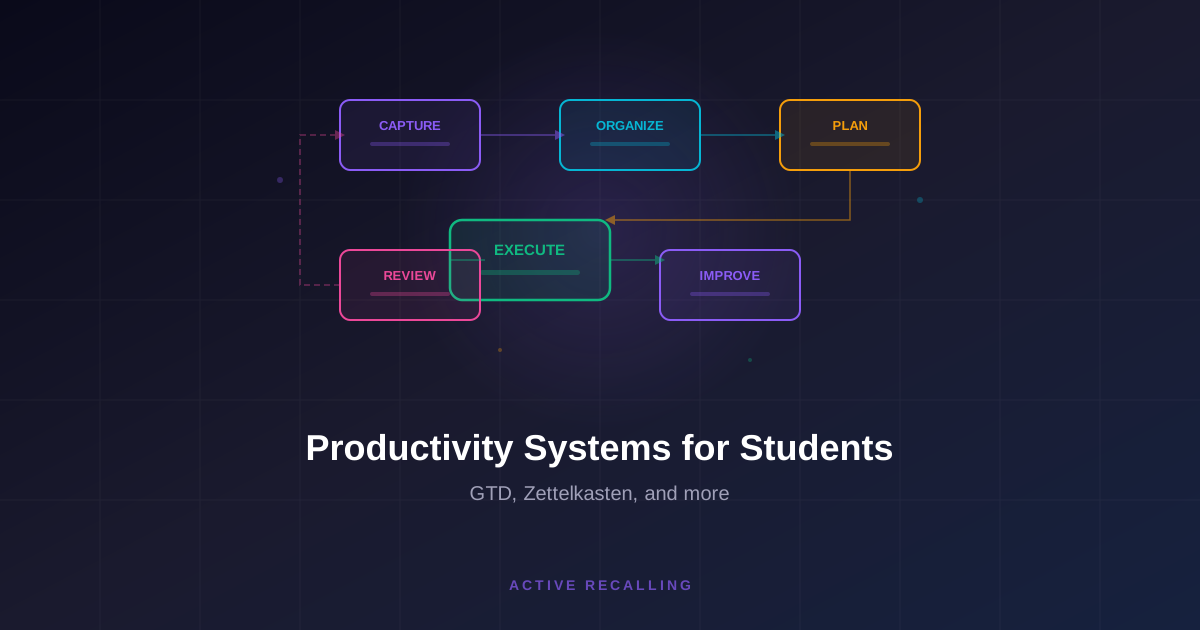
The GTD workflow has five stages. Capture means getting every open loop — every task, idea, reminder, and commitment — out of your head and into a collection point. This could be a physical inbox, a notes app, a voice memo, or any tool where you dump raw inputs.
Clarify is the processing stage where you decide what each captured item means. Is it actionable? If yes, what is the next physical action? If the action takes less than two minutes, do it immediately. If it takes longer, delegate it or defer it to a specific list. If the item is not actionable, trash it, file it as reference, or put it on a "someday/maybe" list.
Organize means putting clarified items into the appropriate lists: a project list for multi-step outcomes, a next actions list organized by context (at computer, at library, at home), a waiting list for items delegated to others, and a calendar for time-specific commitments.
Reflect involves regular reviews of your system. The weekly review is the cornerstone of GTD — a dedicated session where you process your inbox, review all active projects, update your next actions lists, and make sure nothing has fallen through the cracks.
Engage is simply choosing what to work on at any given moment, using your organized lists and your current context, available time, energy level, and priorities to make smart decisions.
GTD for Students: Strengths
GTD excels at managing the sheer volume of obligations that students face. When you have assignments, readings, club responsibilities, job applications, and personal errands all competing for attention, GTD's capture-and-process workflow ensures nothing is forgotten. The stress reduction from knowing that everything is in a trusted system rather than floating in your anxious mind is substantial.
The context-based organization is particularly useful for students whose work happens in different locations. Tasks you can only do in a computer lab, tasks that require the library, and tasks you can do from your phone during a commute are naturally separated, making it easy to be productive wherever you are.
GTD for Students: Weaknesses
GTD was designed for knowledge workers with relatively stable, ongoing workflows. Students face a challenge that GTD does not address well: the cyclical nature of academic life. Courses change every semester, project lists are rebuilt from scratch, and the definition of "done" for academic work (unlike business tasks) is often ambiguous. How many times should you review a chapter? When is an essay draft "done enough"?
The weekly review, while powerful, can feel burdensome for students who are already overwhelmed. And the system's overhead — maintaining multiple lists, processing an inbox daily, and conducting regular reviews — may feel like too much structure for students who prefer a simpler approach.
Best For
GTD is best suited for students who manage many simultaneous commitments across academics, work, and personal life. It is particularly valuable for graduate students, student leaders, and anyone who frequently feels like they are dropping balls.
Zettelkasten: The Knowledge Network
Zettelkasten, German for "slip box," is a knowledge management method developed by the sociologist Niklas Luhmann, who used it to produce an extraordinary volume of academic work over his career. Unlike GTD, which focuses on task management, Zettelkasten is designed for building and connecting knowledge over time.
How Zettelkasten Works
The core principle of Zettelkasten is that knowledge is not hierarchical — it is a network. Instead of organizing notes into folders by topic, you create individual notes (called "zettels") that each contain a single idea, written in your own words. Each note is given a unique identifier and linked to other related notes, creating a web of interconnected ideas.
When you read a book, attend a lecture, or have an insight, you create a new note capturing that single idea. You then look through your existing notes for connections and add links between the new note and any relevant existing notes. Over time, clusters of densely connected notes emerge, representing the topics you have thought about most deeply.
The linking is the key innovation. By explicitly connecting ideas across topics, courses, and time periods, you build a thinking partner that surfaces unexpected connections and generates new insights. Luhmann famously said that his Zettelkasten surprised him regularly by revealing connections he had not consciously made.
Zettelkasten for Students: Strengths
For students engaged in research, essay writing, or any discipline that rewards original thinking, Zettelkasten is extraordinarily powerful. Writing a research paper becomes a matter of following the links between your notes and arranging connected ideas into an argument, rather than staring at a blank page and trying to produce a thesis from scratch.
The practice of writing each note in your own words forces you to process and understand information rather than merely copying it. This aligns perfectly with the principles of active recall and elaborative encoding that underpin effective learning.
Over the course of an entire degree, a Zettelkasten becomes an intellectual asset of compounding value. Notes from a first-year philosophy course connect to third-year political theory, which connects to a graduate seminar on ethics. The system rewards long-term thinking and cross-disciplinary curiosity.
Zettelkasten for Students: Weaknesses
Zettelkasten has a significant upfront investment. Creating atomic notes, writing in your own words, and linking to existing notes takes more time per piece of information than simply highlighting a textbook or jotting down lecture notes. Students with heavy course loads may find the overhead unsustainable.
The system also does not address task management or scheduling at all. You still need a separate system for tracking assignments, deadlines, and daily tasks. Zettelkasten is purely a knowledge tool, not a productivity tool in the traditional sense.
Finally, the benefits of Zettelkasten are long-term and cumulative. A student who starts a Zettelkasten in September will not see dramatic benefits by October. The system rewards patience and consistency, which can be frustrating for students looking for immediate returns.
Best For
Zettelkasten is best for students in research-intensive or writing-heavy disciplines — humanities, social sciences, law, and graduate programs. It is particularly powerful for students who plan to pursue academia or any career that requires sustained intellectual production.
Bullet Journal: The Analog System
The Bullet Journal (BuJo) method, created by Ryder Carroll, is a flexible analog system that combines task management, scheduling, note-taking, and reflection in a single physical notebook. Its appeal lies in its simplicity and the tactile satisfaction of pen on paper.
How Bullet Journal Works
The Bullet Journal uses a set of rapid logging conventions to capture information quickly. Tasks are marked with a dot, events with a circle, and notes with a dash. Tasks that are completed get an X through the dot. Tasks that are migrated to a future date get a right-pointing arrow. Tasks that are no longer relevant get a line through them.
The system is built around four core modules. The Index is a table of contents at the front of the notebook. The Future Log captures events and tasks more than a month out. The Monthly Log provides a calendar view and task list for the current month. The Daily Log is where you capture tasks, events, and notes as they occur each day.
Beyond these core modules, you can create custom collections — dedicated spreads for specific projects, habit trackers, reading lists, or anything else. This flexibility is what makes the Bullet Journal adaptable to almost any need.
Bullet Journal for Students: Strengths
The analog nature of the Bullet Journal is itself a strength for many students. Writing by hand engages different cognitive processes than typing, and the physical notebook eliminates digital distractions entirely. There are no notifications, no tempting apps, and no rabbit holes to fall into when you open your planner.
The migration process — reviewing incomplete tasks and deciding whether to move them forward, schedule them for the future, or cross them off — is a built-in reflection practice that prevents tasks from lingering indefinitely. Every month you are forced to confront what you actually committed to and what you are willing to carry forward.
The Bullet Journal is also extremely portable and low-tech. It works without batteries, wifi, or a subscription fee. For students who spend too much time setting up digital systems, the simplicity of a notebook and pen can be liberating.
Bullet Journal for Students: Weaknesses
The Bullet Journal's greatest strength — its analog nature — is also its biggest limitation. There is no search function. Finding a note from three months ago requires flipping through pages and checking the index, which is far slower than a digital search. There is no automatic scheduling, so you cannot set recurring reminders or sync with a digital calendar. And there is no backup — if you lose the notebook, you lose everything.
The system also lacks the spaced repetition and active recall features that are essential for effective studying. You can track your study sessions in a Bullet Journal, but you cannot use it to schedule reviews based on your performance or generate practice questions. It needs to be paired with a dedicated study tool for the learning side of student life.
Best For
The Bullet Journal is best for students who prefer analog tools, who struggle with digital distraction, and who value the reflective and creative aspects of planning. It works particularly well as a daily planning and task management tool when paired with digital tools for study-specific functions.
PARA: The Digital Organizer
PARA, created by Tiago Forte as part of his Building a Second Brain methodology, is an organizational framework that categorizes all digital information into four buckets: Projects, Areas, Resources, and Archives. We covered PARA in depth in our article on building a second brain, but it deserves comparison here as a productivity system.
How PARA Works
Projects are active, outcome-focused work with a defined end date — a term paper, an exam to study for, a presentation to prepare. Areas are ongoing responsibilities without a deadline — each course, your health, your finances. Resources are topics of interest that are not currently tied to a project or area. Archives are inactive items from the other three categories.
The power of PARA is that it provides a universal structure that works across any digital tool. Whether you use Notion, Obsidian, Google Drive, or Apple Notes, the four-folder structure gives every piece of information a clear home.
PARA for Students: Strengths
PARA's biggest strength for students is its simplicity and universality. Setting up takes minutes, not hours. The categories map naturally to student life: each assignment is a project, each course is an area, interesting topics outside coursework go to resources, and completed courses and old assignments go to archives.
The framework also creates clear action signals. If you are sitting down to study, your Projects folder tells you exactly what active work needs attention. This reduces decision fatigue and prevents the aimless browsing that often passes for studying.
PARA for Students: Weaknesses
PARA is an organizational framework, not a complete productivity system. It tells you where to put things, but it does not tell you what to do next, how to prioritize, or when to do what. You need to pair it with additional practices — a weekly review, a task management system, and study tools — to create a complete workflow.
Best For
PARA is best for students who want a clean, simple digital organization system without the complexity of a full methodology. It works exceptionally well when combined with other practices — GTD for task management, Zettelkasten for knowledge building, or a Bullet Journal for daily planning.
Combining Systems
The most effective approach for many students is not choosing a single system but combining elements from multiple systems into a personalized workflow.
A practical combination might look like this: Use PARA to organize your digital files and notes. Use a Bullet Journal or simple daily planning method for task management and daily scheduling. Use Zettelkasten principles for building connected knowledge in your notes app. Use a dedicated spaced repetition tool like Active Recalling for the active learning that no productivity system provides.
The key is to keep the overall system simple enough to maintain. If your combined approach requires more than 15 minutes of daily maintenance, it is too complex and will eventually collapse under its own weight.
How to Choose Your System
Consider these questions when selecting a productivity system. Do you need help primarily with task management (keeping track of what to do) or knowledge management (building understanding over time)? GTD and Bullet Journal excel at the former; Zettelkasten excels at the latter.
Do you prefer digital or analog tools? This is a genuine preference, not a question of what is objectively better. If you love the feel of pen and paper, a digital-first system will not stick regardless of its features.
How much setup and maintenance time are you willing to invest? GTD and Zettelkasten have higher overhead; PARA and Bullet Journal are lower maintenance.
Are you in a research-heavy or task-heavy academic environment? Research-heavy programs reward knowledge management systems. Task-heavy programs with many discrete assignments reward task management systems.
Conclusion
There is no universally best productivity system for students. GTD provides comprehensive task management for those juggling many commitments. Zettelkasten builds deep, interconnected knowledge for research and writing. Bullet Journal offers analog simplicity and reflection. PARA provides clean digital organization with minimal overhead.
The best system is the one you will actually use consistently. Start with the approach that feels most natural, give it a genuine trial of at least four weeks, and adapt it based on what works and what does not. Combine elements from multiple systems if that serves you better. And remember that no productivity system substitutes for the actual work of learning — pair your organizational system with effective study practices like active recall and spaced repetition to ensure that your well-organized time produces genuine academic results.